Showing posts with label CGDI BMW. Show all posts

3/16/2025

Program BMW X6 F16 2017 BDC All Keys Lost by CGDI BMW

BMW X6 F16 2017 BDC all keys lost is done with CGDI Prog BMW programmer successfully.

Losing car keys is a frustrating experience for any car owner, and losing all keys at once makes the situation even worse. The car was towed to the shop in a locked state, so the first step is to gain access by opening the vehicle to reach its electronic control units. Information about the registered keys is stored in the BDC (Body Domain Controller) unit. Automakers take extensive measures to secure data related to the anti-theft system and key authentication. To connect to the BDC unit on the workbench, a specialized platform with a set of adapters is required. Accessing the protected data involves using a custom software version and writing an engineering dump to the EEPROM. Once inside, the information about the lost keys is erased, and new keys are programmed into the available memory slots. After programming the new keys, the original software and coding files are restored to the unit. Once the BDC unit is reinstalled, the functionality of the new keys is tested, and the car is ready to be driven again.

In general, the BDC unit serves as the central control module in the F series vehicles. If this unit is damaged due to an accident, water ingress (often caused by a poorly sealed windshield), or other issues, it must be replaced. Data from the original unit can be transferred to a used replacement unit from another vehicle. Additionally, replacing the BDC unit may be necessary during engine swaps or custom project builds.

Program BMW X6 F16 2017 BDC All Keys Lost by CGDI BMW 1

Program BMW X6 F16 2017 BDC All Keys Lost by CGDI BMW 2

Program BMW X6 F16 2017 BDC All Keys Lost by CGDI BMW 3

Program BMW X6 F16 2017 BDC All Keys Lost by CGDI BMW 4


10/31/2024

CGDI BMW vs Autel IM608 Which is Better for BMW?

Thinking to buy Autel IM608 or CGDI BMW?
What can cgdi do that autel can’t do?

CGDI BMW vs Autel IM608 Which is Better for BMW

For example save your ass when autel can’t when your FEM/BDC will get properly stuck in programming mode.
Got one module (BDC) which got coding pulled etc by different tool, as tried first time OBD, always did it on bench in past and that didn’t do upgrade correctly, CGDI BMW got it sorted without any issue in few mins, when few other tools couldn’t even connect
There was no igntion etc, and it wasn’t a common clicking eeprom fault.


CGDI can do coding and programming for CAS 1 to 3 and all F and G series.
Sometimes clicking is not due to eeprom being corrupt it can be due to programming failure after eeprom has been altered. CGDI can fix this by powering the eeprom to prevent clicking and then reprogramming can be done. All without desoldering. Basically it can program FEM BDC from scratch using VIN number. Autel can’t do this yet.
It’s very good at doing cas3++ isap obd and recoding the 9389115.


CGDI will also connect to ICOM to use ISTA and E-sys functions. Autel cannot. 

How to use CGDI Prog BMW ICOM Function?


The IM608 has more value if you buy the bundle kit that comes with the APB112 Key simulator and the GBOX2. But if you need a starting tool for just BMW vehicles, CGDI BMW is a good choose.


Here are come user review:

1).

I have IM608II, vvdi prog, multi prog, vvdi2, key tool max, key tool plus, Lonsdor 518, Abrites, OBDStar, KM100, CGDI BMW. And maybe more I’ve forgotten about. I highly recommend CGDI for doing BMW though. It was recommended to me by a highly experienced locksmith and I’ve been very pleased with how it works. Very user friendly.


3). I’ve done many downgrade no problems. make sure you have battery connected to proper power when downgrading. no worries because if something happens to cas during downgrade, you can use cgdi to fix cas, tried it by disconnecting cable during downgrade, killed cas, and restored with cgdi. good product.

10/30/2024

How to Use CGDI BMW ICOM Function for BMW F31?

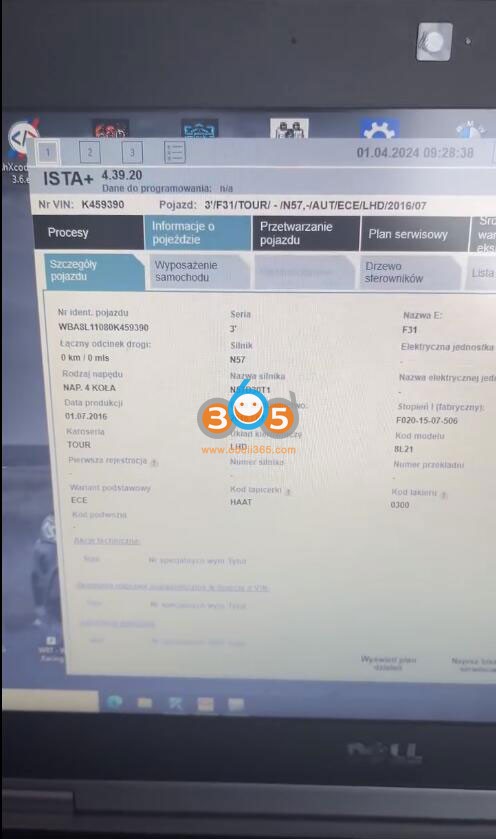
There is an ICOM function in CGDI Prog BMW key programmer. We have successfully diagnose a  BMW 3 series F31 2016 using the CGDI ICOM function.

You need to set up FEM connection on bench using FEM/BDC test platform.

Use CGDI BMW ICOM Function for BMW F31 1

Use CGDI BMW ICOM Function for BMW F31 2

Use CGDI BMW ICOM Function for BMW F31 3

Got ISTA software installed. Go to ICOM function

Use CGDI BMW ICOM Function for BMW F31 4

Use CGDI BMW ICOM Function for BMW F31 5

Use CGDI BMW ICOM Function for BMW F31 6

Use CGDI BMW ICOM Function for BMW F31 7

Choose interface type

Use CGDI BMW ICOM Function for BMW F31 8

CGDI BMW is connected

Use CGDI BMW ICOM Function for BMW F31 9

Use CGDI BMW ICOM Function for BMW F31 10

Scan vehicle information.

Use CGDI BMW ICOM Function for BMW F31 11

Use CGDI BMW ICOM Function for BMW F31 12

It reads vehicle information. Now you can diagnose BMW.

CGDI Prog BMW Read BMW EDC17CP45 ISN Code

How to read BMW ISN code from EDC17CP45 ECU using CGDI Prog BMW key programmer?

CGDI Prog BMW Read BMW EDC17CP45 ISN Code 1

Check instructions here:

In BMW ISN function, select N13/N20/N55/B38 Read/Write ISN function

CGDI Prog BMW Read BMW EDC17CP45 ISN Code 2
Select EDC17CP45

CGDI Prog BMW Read BMW EDC17CP45 ISN Code 3

There are two versions pinouts. If pinout 1 does not work, use pinout 2.

CGDI Prog BMW Read BMW EDC17CP45 ISN Code 4

CGDI Prog BMW Read BMW EDC17CP45 ISN Code 5

Connect CGDI BMW with EDC17CP45 ECU following the diagram.

CGDI Prog BMW Read BMW EDC17CP45 ISN Code 6

CGDI Prog BMW Read BMW EDC17CP45 ISN Code 7

Identify ECU

CGDI Prog BMW Read BMW EDC17CP45 ISN Code 8

Read ISN code.

CGDI Prog BMW Read BMW EDC17CP45 ISN Code 9

CGDI Prog BMW Read BMW EDC17CP45 ISN Code 10

CGDI will also write ISN.


www.obdii365.com

1/25/2024

CGDI BMW Clear BMW E60 ZF6HP EGS ISN

This is a BMW E60. The transmission control module has been replaced with one from a BMW X5 or X6.  The new control module has ISN on it.
So if I start the car, it cannot engage gear at all and it shows the fault code on diagnostic tool says immobilizer on the control module disables something like that.

CGDI BMW Clear BMW E60 ZF6HP EGS ISN 1

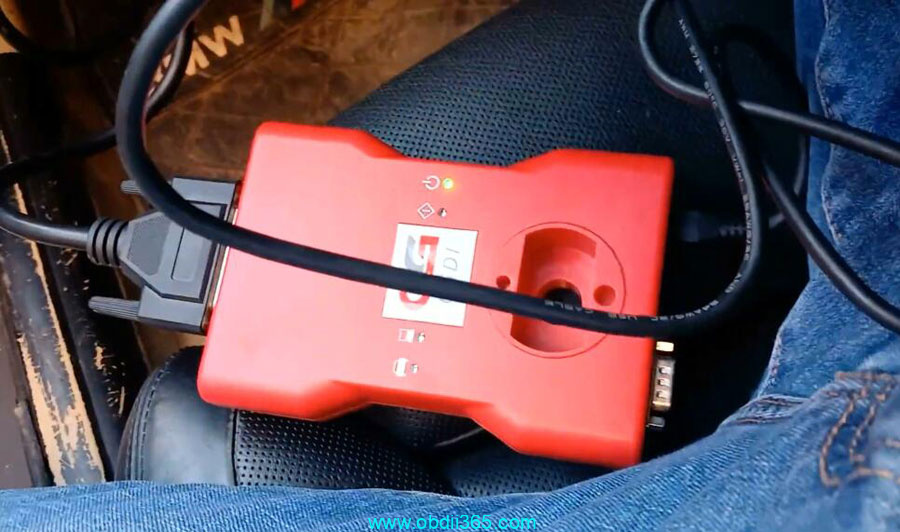
Here we connect CGDI Prog BMW programmer with vehicle via OBD.

CGDI BMW Clear BMW E60 ZF6HP EGS ISN 2

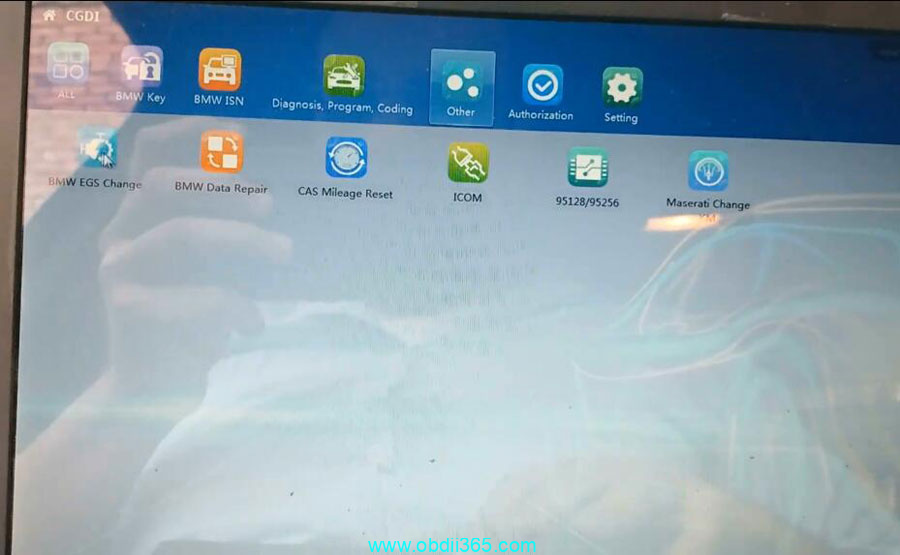
Turn switch off then go to Other->BMW EGS Change->6HP (E)->OBD Mode

CGDI BMW Clear BMW E60 ZF6HP EGS ISN 3

CGDI BMW Clear BMW E60 ZF6HP EGS ISN 4
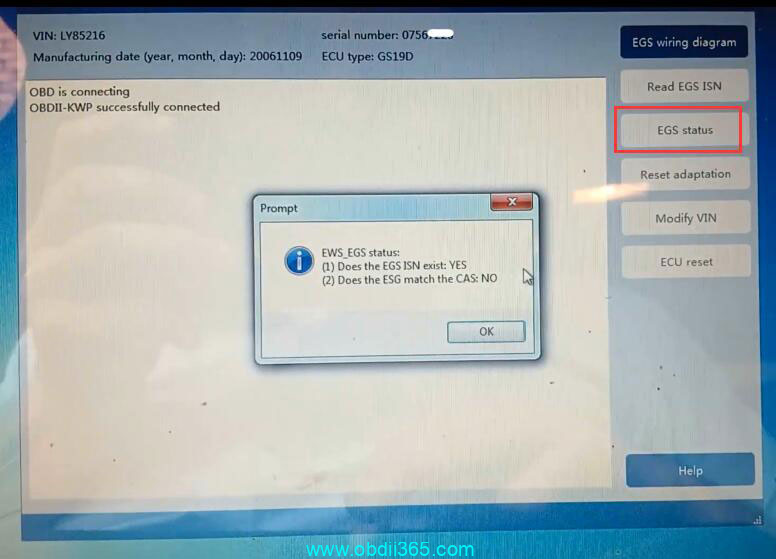
Read EGS status

CGDI BMW Clear BMW E60 ZF6HP EGS ISN 5

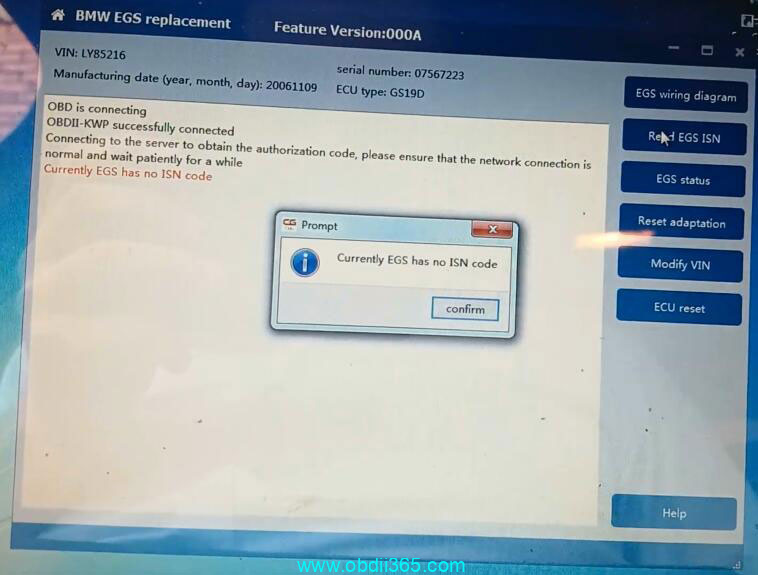
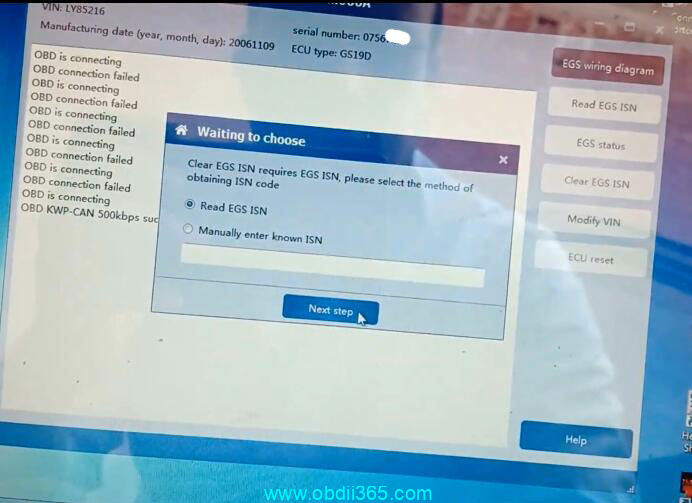
Read EGS ISN
When try to read EGS ISN, it fails and says Currently EGS has no ISN code.

CGDI BMW Clear BMW E60 ZF6HP EGS ISN 6

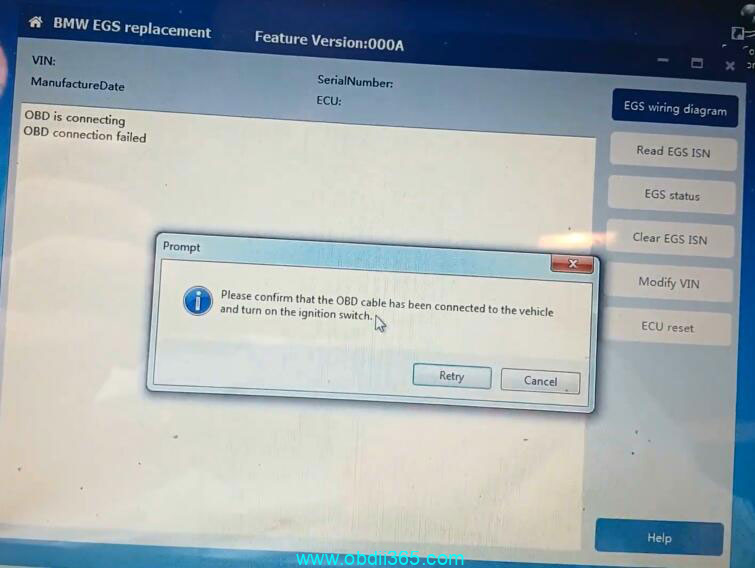
Close and try if it can go to bench option.

CGDI BMW Clear BMW E60 ZF6HP EGS ISN 7

Need to connect on bench.

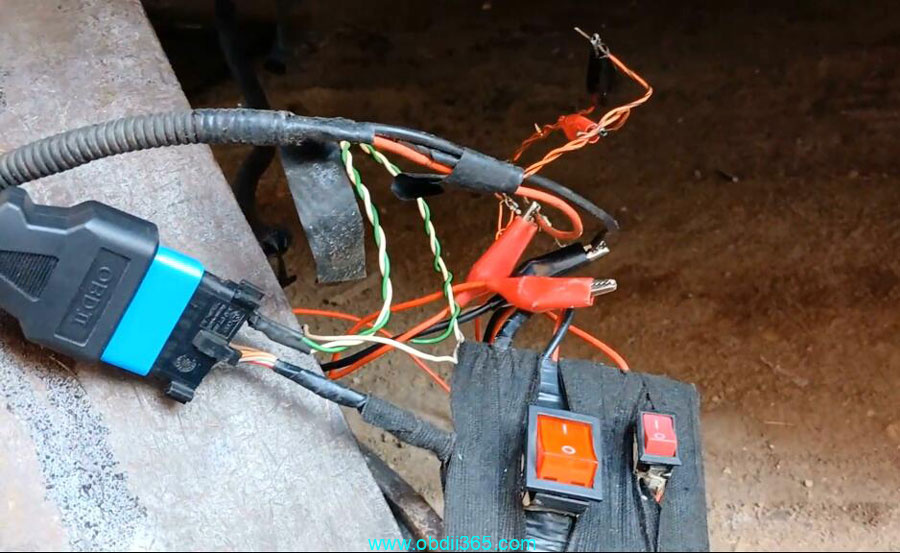
It is on bench with an external connector

Now we are connecting an external wiring with power supply as if it is on the bench.

CGDI BMW Clear BMW E60 ZF6HP EGS ISN 8

CGDI BMW Clear BMW E60 ZF6HP EGS ISN 9

Make sure you have a good network connection.

Turn off power completely then we will connect the connector that is coming from the vehicle.

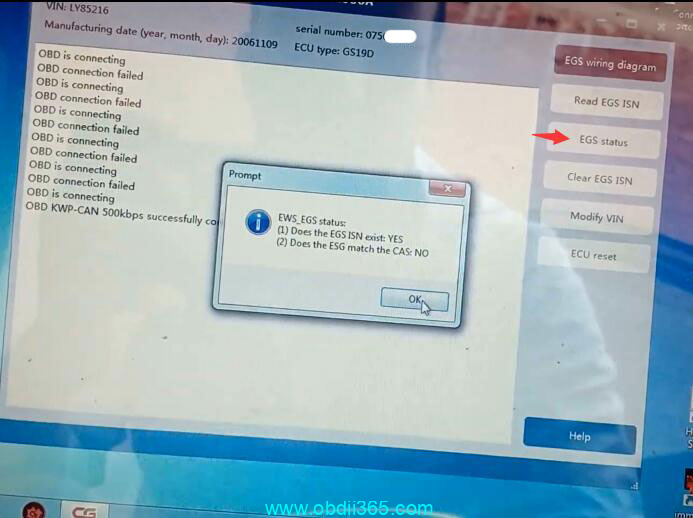
Read EGS status with CGDI BMW

CGDI BMW Clear BMW E60 ZF6HP EGS ISN 10

Read EGS ISN

CGDI BMW Clear BMW E60 ZF6HP EGS ISN 11

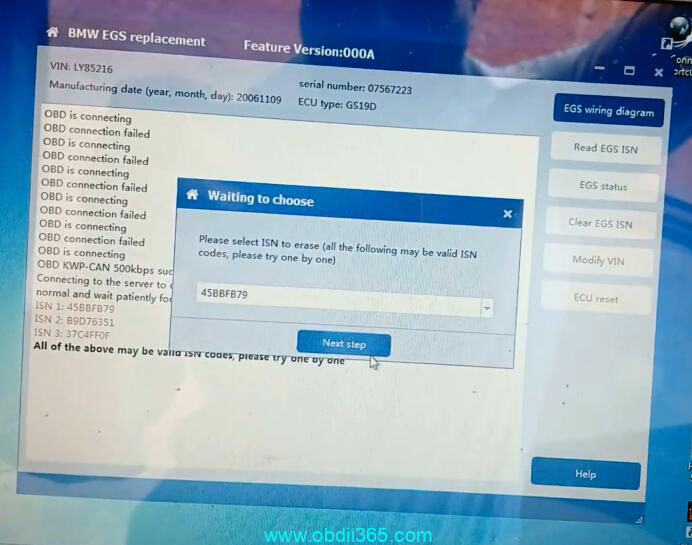
Select EGS ISN need to cleared

CGDI BMW Clear BMW E60 ZF6HP EGS ISN 12

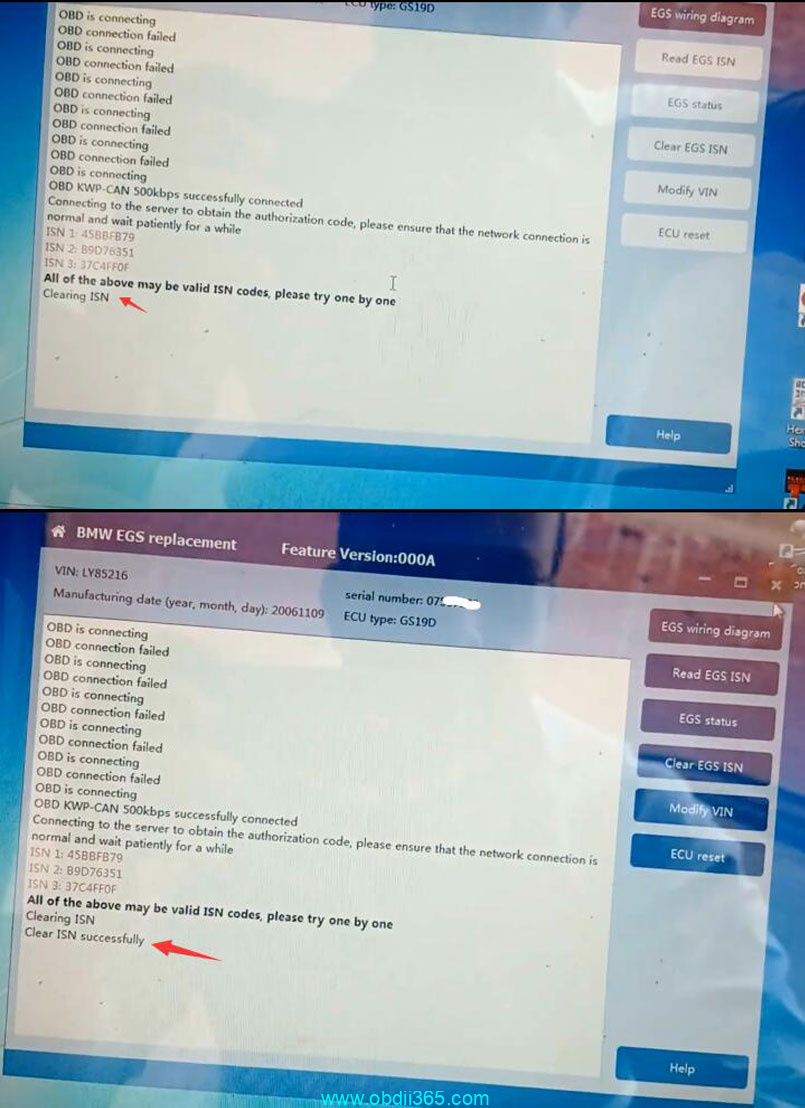
Clear EGS ISN successfully

CGDI BMW Clear BMW E60 ZF6HP EGS ISN 13

We connected the connector of the transmission itself from the car and now it engaged gear and reverse.

Done.

www.obdii365.com