2/28/2022

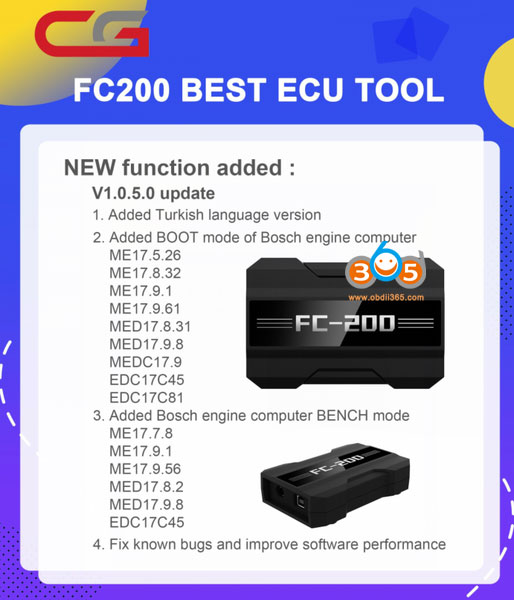
CG FC200 V1.0.5.0 Adds Turkish Language

 CG FC200 Software V1.0.5.0 Update:

Add New Function
1. Add Turkish language version

2. Added BOOT mode of bosch engine computer
ME17.5.26 ME17.8.32 ME17.9.1 ME17.9.61 MED17.8.31 MED17.9.8 MEDC17.9 EDC17C45 EDC17C81

3. Added Bosch engine computer Bench Mode
ME17.7.8 ME17.9.1 ME17.9.56 MED17.8.2 MED17.9.8 EDC17C45

4. Bug fixed and Software performance improved

CG FC200 Software V1.0.5.0 Update:


2/27/2022

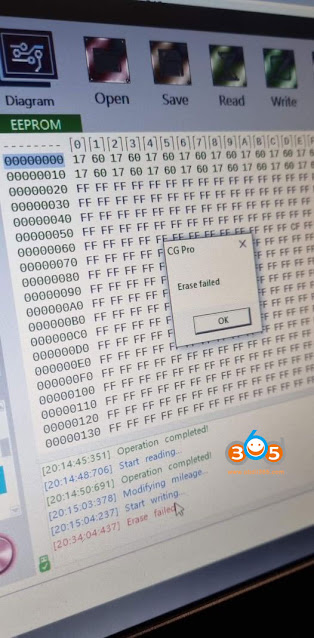
CGPRO Cannot Erase 35160wt?

BMW cluster eeprom 35160WT. Using dedicated adapter and when writing new kilometers into two first lines operation goes into 95% and then CG Pro says “Erase failed”. How can i get this through? Why i cannot erase BMW cluster 35160wt using cg pro?

CGPRO Cannot Erase 35160wt?

Solution:

Solution:

It says it supports most. Not all, so it doesn’t work on all of them.

Only some erase most don’t.  We have erased successfully on 5 series 2015 digital cluster and X1 CAS3 2010 35080 clusters.

This chip has 50% to erase success (and the mileage lower than 800,000 KM ), if it fails to erase, it has two ways to help you try again. you can try to initialize your device, password: cgkj982634187236 . or try another way to heat your chip (contact CGDI technician if you are interested).

On this chip you can read, but can’t write. You must replace it with something like on link https://www.obdii365.com/wholesale/xhorse-35160dw-chip-for-vvdi-prog.html

xhorse 35160dw chip

Faster to just replace it with xhorse chip and they are not expensive. just 17-21$ and you just read and straight replace in 5 minutes.  This job can also be done by Yanhua emulator. Check: How to Change M35XXX Mileage using Yanhua 35160 35080 Emulator

I normally just erase and write 080 but have an issue with a defender where mileage keeps going back to where I set it after ignition cycle (think a file issue really rather than chip). Thought would try a fresh chip, couldn’t write that Xhorse chip with cgdi. Tried again with a mini just to see but same thing wrote a load of shite. Making the changes manually in VVDI prog worked fine though.

Read http://blog.obdii365.com/2021/12/03/cg-pro-9s12-bmw-f-series-instrument-reset-with-35160wt-adapter/

2/20/2022

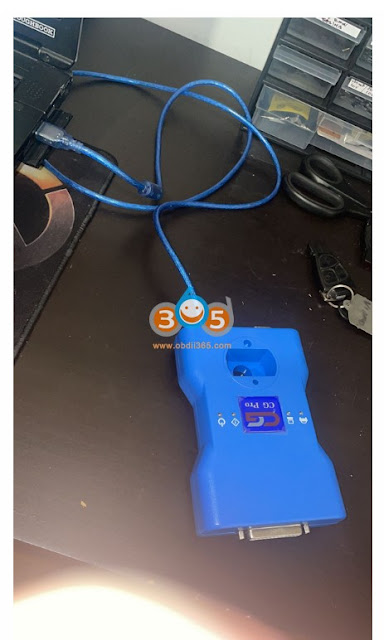
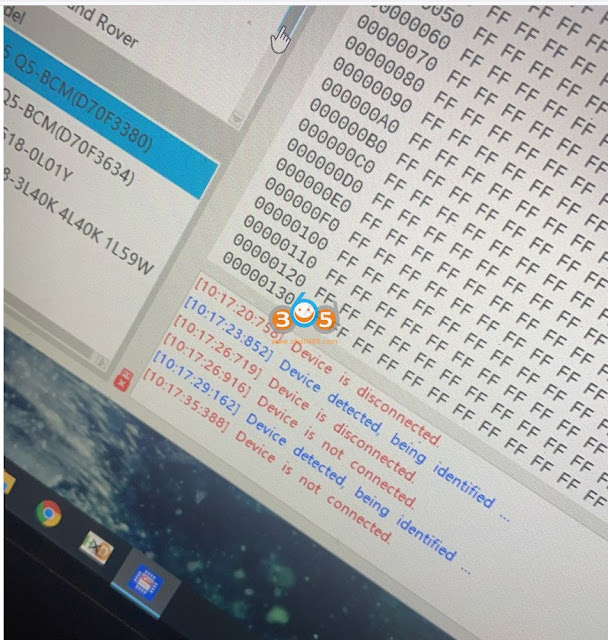
CG Pro 9S12 Device is Not Connected Solution

 I have connected the CG Pro 9s12 programmer with laptop and run software. However, device can not be detected. It says 'Device is not connected'. Any idea?

CG Pro 9S12 Device is Not Connected 1

CG Pro 9S12 Device is Not Connected  2

Solution:

Connect CGPro with 12V power supply (it does not have power supply in package, you can use any 12V DC power supply)
Connect CGPro with PC via USB
Run CGPro software

2/15/2022

How to Activate CG FC200 ECU Programmer?

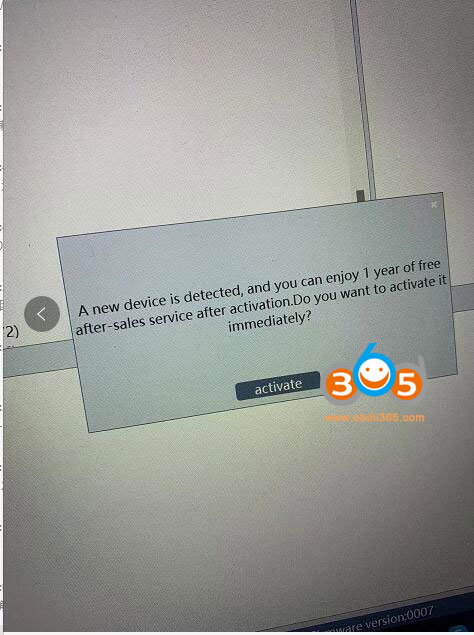
I have received the CG FC200 ecu programmer. After I run software, it comes with an error message.  "A new device is detected, and you can enjoy 1 year of free after-sale service after activation. Do you want to activate it immediately?"

activate-cf-fc200-software

 Solution:

Press Activate to activate the FC200 software.

Free update for 1 year. After that it takes $150 per year. 


cg-fc200-activation


CG100 Repair Porsche Cayenne BCM Lithium Battery

After a severe accident or battery voltage too low, Porsche Cayenne 12V lithium battery turns to protection mode and cannot be charged which will cause the vehicle to fail to start. It takes a lot to replace the new battery.

CG100 Repair Porsche Cayenne BCM Lithium Battery 1

How to solve Battery Discharge Protection problem in the cheapest way?


Here is the tutorial on reflashing BCM lithium battery module with cg100 prog iii programmer to disable protection mode and recover the battery.

Lithium battery parameter information

There is a label on the front of the battery, which is marked with parameter information such as number, voltage, current and production date.

CG100 Repair Porsche Cayenne BCM Lithium Battery 2

Measure battery voltage

When the battery is not disassembled, we use a multimeter to measure the battery voltage, which is 0V, which means there is no voltage output, and the battery cannot be charged, that means the current cannot be input.

CG100 Repair Porsche Cayenne BCM Lithium Battery 3

Remove the battery case

CG100 Repair Porsche Cayenne BCM Lithium Battery 4

Measure battery voltage again

CG100 Repair Porsche Cayenne BCM Lithium Battery 5

After opening the battery case, the voltage is still 0V, without voltage output.

Measure voltage bypass the relay

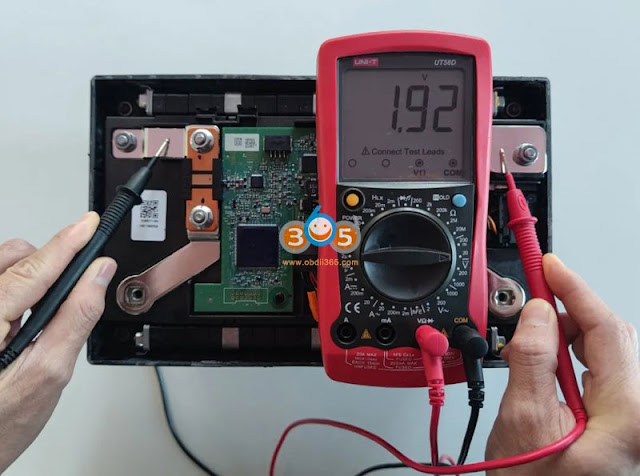
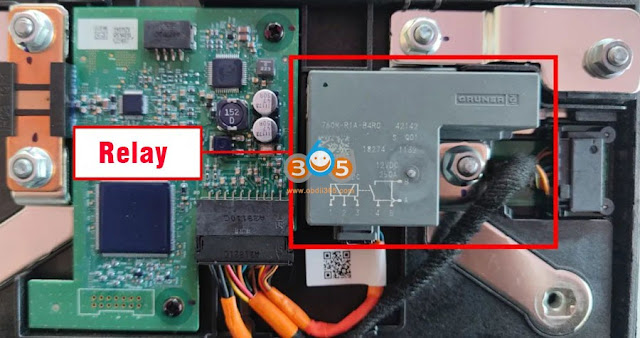
Note that the relay is connected in series in the positive direction, we bypass the relay and continue to measure the voltage. At this time, the multimeter shows 1.92V, indicating that the battery has voltage, but it is blocked by the relay.

CG100 Repair Porsche Cayenne BCM Lithium Battery 6

Locate IC chip

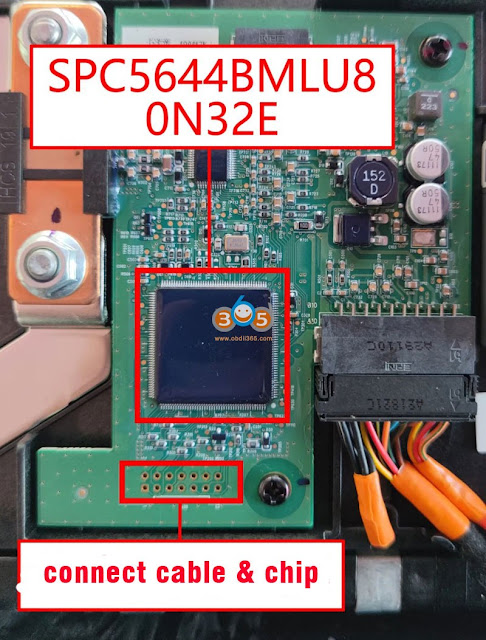
You can see the IC chip when you open the upper case of the battery. This chip controls the operation of the entire battery. It is produced by Freescale and the model is SPC5644BMLU8.

CG100 Repair Porsche Cayenne BCM Lithium Battery 7

Battery Relay function:

The relay is controlled by the BCM. When the vehicle collides or the battery voltage is too low and enters the protection mode, the BCM cuts off the connection between the battery cell and the external battery terminal through the relay, so as to avoid battery over-discharge and cause danger or battery damage. The battery cannot be charged or discharged.

CG100 Repair Porsche Cayenne BCM Lithium Battery 8

How to Repair Porsche Lithium Battery with CG100?

Confirm battery year before the operation, for example, the battery was manufactured in 2018.

CG100 Repair Porsche Cayenne BCM Lithium Battery 9

Run CG100 software, select BCM- Porsche- lithium battery- Cayenne- 2018-SPC5644B

CG100 Repair Porsche Cayenne BCM Lithium Battery 10

CG100 will show you the wiring diagram

Connect battery with cg100 via BCM4+ adapter

CG100 Repair Porsche Cayenne BCM Lithium Battery 11

CG100 Repair Porsche Cayenne BCM Lithium Battery 12

CG100 Repair Porsche Cayenne BCM Lithium Battery 13

Make sure the connection is correct and well built.

Press ‘Read‘ to read data. First read PFLASH, then read DFLASH data. The process takes about 5 minutes.

DON’T DISCONNECT DEVICE DURING THE OPERATION !!!

CG100 Repair Porsche Cayenne BCM Lithium Battery 14

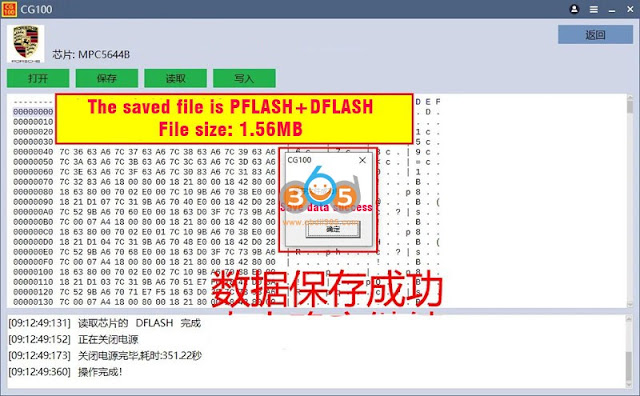
Save original PFLASH and DFLASH data.

The file saved contains both PFLASH and DFLASH data, file size: 1.56MB.

CG100 Repair Porsche Cayenne BCM Lithium Battery 15

CG100 Repair Porsche Cayenne BCM Lithium Battery 16

Write data
Press ‘Write
Write PFLASH
Verify Pflash
Write DFLASH
Verify DFLASH
CG100 software will operate automatically, just wait for 10 minutes. 
CG100 Repair Porsche Cayenne BCM Lithium Battery 17

CG100 Repair Porsche Cayenne BCM Lithium Battery 18

Note: CG100 software comes with new pflash & dflash data for 2018-2020 Porsche Cayenne and auto write new data to the BCM battery.

After repair, test voltage again.

Connect voltage with an external voltage regulator

Bypass the relay and charge the battery with a precision regulated charger, measuring the voltage as it charges.

CG100 Repair Porsche Cayenne BCM Lithium Battery 19

Note: Digitally controlled adjustable power supply can be used for charging, the output mode can be adjusted to constant current output, first use a small current for charging (recommended below 3A), when the battery is charged to more than 12V, it can be charged with a large current until the battery is fully charged Calibration voltage.

Charge to regular voltage (12V)

remove the charger when the battery is charged to about 12V

CG100 Repair Porsche Cayenne BCM Lithium Battery 20

Reinstall battery, measure the voltage again
CG100 Repair Porsche Cayenne BCM Lithium Battery 21

Battery is charged. Install battery case, tighten the screws.
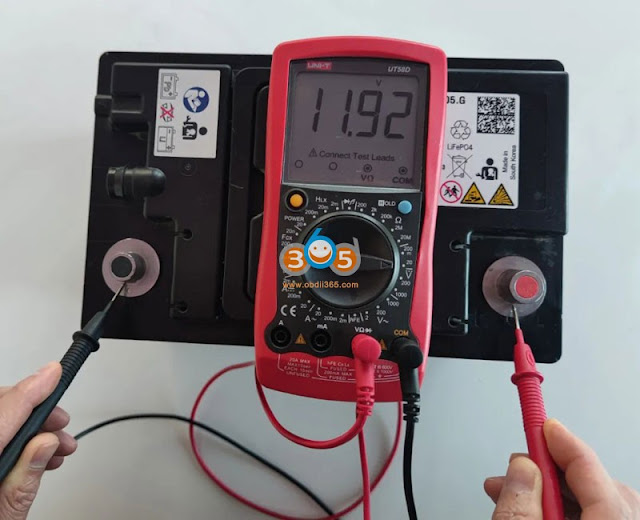
Measure voltage again, 11.92V.
Repair battery succeeded.

NOTE:
It is recommended to charge for one hour after being installed to the vehicle with a high-power charger.

http://blog.obdii365.com/2022/02/15/repair-porsche-cayenne-18-20-bcm-lithium-battery-by-cg100/
1/24/2022

BMW F10 TCM EGS Programming with CGDI BMW

Here's the instruction on BMW F10 528i 2013 used TCM (EGS) programming after replacement.  Reset ISN with CGDI Prog BMW, tried flashing with E-sys but got some troubles, programming and encoding on car done by cgdi bmw and error check with ista+.


Part 1: Reset ISN on bench

Connect CGDI BMW with EGS 8HP (Check wiring diagram and detail guide here)

In CGDI BMW software, go to BMW EGS change- 8HP (F)- Clear ISN

bmw f10 egs programming with cgdi bmw 1

Confirm VIN

bmw f10 egs programming with cgdi bmw 2

EGS ISN is cleared
that was the first part, done on bench.


Part 2:
The second part when trying to flash TCU, i got some troubles with e-sys, reported a PSD2 error.

bmw f10 egs programming with cgdi bmw 3

Part 3: Programming TCU

Finally, i finish programming and encoding by cgdi bmw on car

bmw f10 egs programming with cgdi bmw4

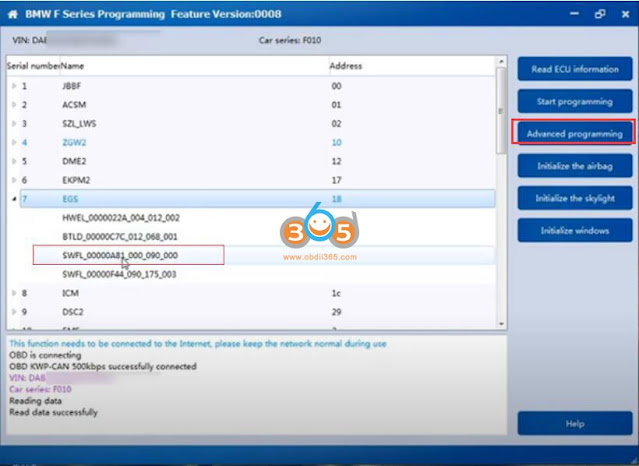
Go to Diagnosis, Program and Coding- BMW E/F Series Program

bmw f10 egs programming with cgdi bmw 5

Select EGS SWFL desired to program, and press Advanced programming
CGDI will ask to keep car battery enough power and device cabled connected during the programming procedure

bmw f10 egs programming with cgdi bmw 6

bmw f10 egs programming with cgdi bmw 7

select file version and confirm
input 17-digit VIN and confirm

bmw f10 egs programming with cgdi bmw 8

program ECU in progress

bmw f10 egs programming with cgdi bmw 8

Program and flash tcu successfully.

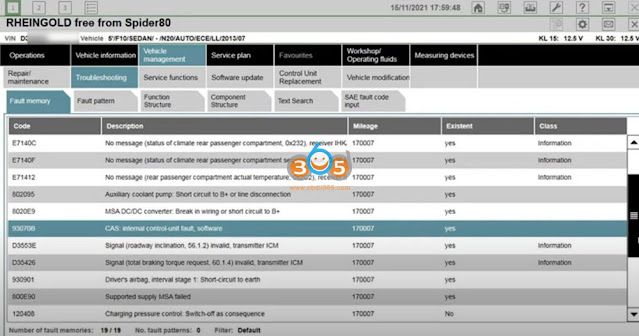
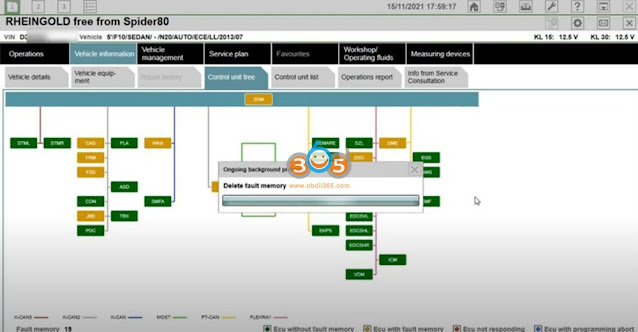
check and erase fault codes with BMW ICOM ISTA+

bmw f10 egs programming with cgdi bmw 9

bmw f10 egs programming with cgdi bmw 10

bmw f10 egs programming with cgdi bmw 11

bmw f10 egs programming with cgdi bmw 12

http://blog.obdii365.com/2022/01/25/bmw-f10-used-tcm-programming-with-cgdi-bmw/
CG FC200 Pros and Cons

Here comes the unbiased review of the new CG FC200 ecu programmer. What it did and failed.

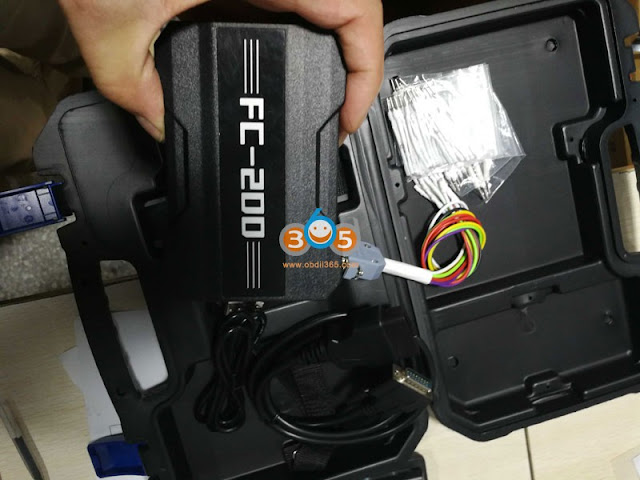
'I am going to go through different features of the new CG FC200 I purchased recently. It doesn't have a lot of features but it's got a few useful features. There are things that I like and things that I don't like.

cg fc200 review 1

I'm not trying to knock any product but it's a useful unit. It could have been better thro.

It’s a brand new unit. That anything that comes out for the first time usually has room for improvement.

Let’s not jump the gun because they have already updated to another version already.
Cg is a very good company I’m not going to knock them.

cg fc200 review 2

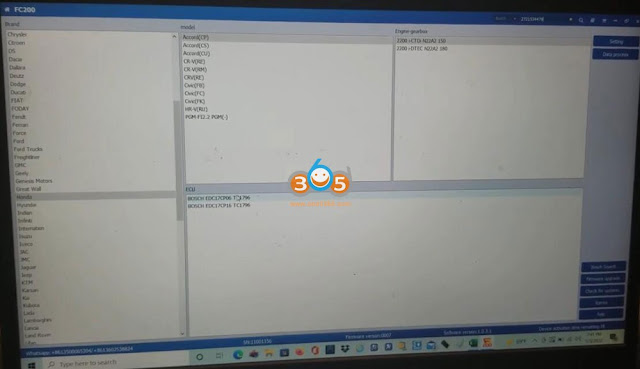
Software is simple, clean and easy to use. They does not have many Japanese ECU information. Like Honda, it has a few models Accord, Civic, but they don't have a lot 2.0, 2.2 anything V6 engine.

We know it is mostly for bosch ECUs.

cg fc200 review 3

I hit one diagram on the Honda and it shows me the wiring diagram. I could identify modify all that good stuff. everything is there one diagram.

I want to show you guys a unique feature that i like.

cg fc200 review 4

You see this little tab right here next to the search. Hit that little tab and then it's going to pull up another screen here in your microsoft words.

cg fc200 review 5

You could see where you could read an obd, bench and boot all the cars on one side. You have the ECU's and they tell you whether you can read them in obd, bench or boot and functions read/writer dflash, pflash, password etc. It tells you the capability for that ecu.

Only thing is that's disappointing at this time for me is that only some bmw has obd. So with this unit you have to take the ecu or dme or whatever out of a car.


You go back down there, hit microsoft words and you're right back so you could look up the ecu number.

It comes right let's tap on and it comes right up here.

You know and everything is right there. You can look at the ecu number for the mini and Mitsubishi and everything you could do, read flash write the flash, all of that you know it tells you all this information here and everything us at your fingertip by just hitting that one little button.

What i have done so far:

did 17c50 and checksum did online...need wait for a 10seconds

read and write if isn and vin for N55 and N29 ECU were successful.

read isn all keys lost 2016 BMW 328I F30 N26

2015 Audi A3 1.8T TCU clone, reads fine, failed to write Pflash

yesterday did md1cs006  eeprom and flash

Read BMW MSV80 ISN and VIN (very fast, it has different pins which makes the bench connection much easier)


Pros:

Search ecu by bosch ecu number, car brand

it tell you method and function of that ecu

get a bunch of pins and each pins got its different size to fit on these pins

shows wiring diagram, you could zoom in and out

very fast to read bmw msd msv isn on bench

Cons
Mostly Bosch ECU and some siemens old ECUs
Only some bmw ecu can be done via obd.
Don’t have a lot of Japanese ECUs (siemens or denso ecus)


Worth buying FC200?

Depends on what is the main purpose of your buy. Could be useful for BMW ISN from Ecu or maybe for some Ecu cloning, but only some of them because most of MEDC17 needs adaption of OTP and password or immo transfer for successful cloning.

If there is checksum correction, this tool will be a very good tool. Let's wait for the feature updates.


 CGDI FC200 ECU Programmer User Manual.pdf  (2.1M) 

CGDI FC200 ECU List.xls  (373K)